

3 October 2012
Speed UP Your Computer By Cleaning Ram Using Notepad
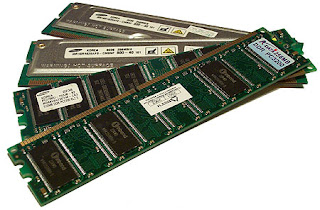
If your pc become slow, when you are operating with several programs. it may be due to RAM because at that time RAM is filled with remaining progress items that you're operating with and you do not need them any more.
So, if you'll erase or delete those unnecessary items of data, your pc RAM will be clean and your pc will be speed up.
Read More »
2 October 2012
Movies on demand

I cannot promise to deliver most of the movies you demand....but I'll try by best to give you best quality in your demanded movies.
Read More »
Best Hot Torrent Sites

Many peoples are using Torrent to download files now days but there are many fake site too.
So today i will tell you some of the best torrent sites so that you won't use fake torrent sites and would be safe from viruses.
Read More »
Recover Your Gmail Account
Posted by
Deepak
On
10/02/2012
In


Ways to recover Gmail account :
- Resetting Gmail Account Password.
- Contacting Google Support Team.
1. Resetting Gmail Account Password
If you have forgotten your password,
then Visit:https://www.google.com/accounts/recovery
- Enter You email address, click Submit & then fill the Captcha.
- If you had verified your account with a mobile phone number, a recovery code will be sent to your mobile number and you can reset your password using the recovery code number.
- If you use Gmail, a password reset email will be sent to your secondary email address, from where you can change the password.
- If You have provided your security question and have not access your account from last 5 days, then answers your security question.
Note: Your security question can only be answered if you haven't signed in for 5 days.
Visit https://www.google.com/support/accounts/bin/request.py?hl=en-GB&contact_type=acc_reco&ara=2&ctx=acc_reco&source=no_ts&rd=1
- Follow the appropriate steps for filling the form. Provide accurate information as much as you can.

Read More »
HOW TO UPDATE BLANK STATUS ON FACEBOOK TRICK
Posted by
Deepak
On
10/02/2012
In
HOW TO UPDATE BLANK STATUS ON FACEBOOK TRICK
STEP 1. - First of all login to your FACEBOOK account.

STEP 2. - Now type this code in your status bar and click on post
@[0:0: ]
STEP 3. - You have done, your blank status has been updated..

Read More »
10 tips for speed up you pc
Posted by
Deepak
On
10/02/2012
In
Here is top 10 tips for speed up you pc.those tips most important and very easy to do.

- Let your PC boot up completely before opening any applications.
- Refresh the desktop after closing any application. This will remove any unused files from the RAM.
- Do not set very large file size images as your wallpaper. Do not keep a wallpaper at all if your PC is low on RAM (less than 64 MB).
- Do not clutter your Desktop with a lot of shortcuts. Each shortcut on the desktop uses up to 500 bytes of RAM
- Empty the recycle bin regularly. The files are not really deleted from your hard drive until you empty the recycle bin.
- Delete the temporary internet files regularly.
- Defragment your hard drive once every two months. This will free up a lot of space on your hard drive and rearrange the files so that your applications run faster.
- Always make two partitions in your hard drive. Install all large Softwares (like PSP, Photoshop, 3DS Max etc) in the second partition. Windows uses all the available empty space in C drive as virtual memory when your Computer RAM is full. Keep the C Drive as empty as possible.
- When installing new Softwares disable the option of having a tray icon. The tray icons use up available RAM, and also slow down the booting of your PC. Also disable the option of starting the application automatically when the PC boots. You can disable these options later on also from the Tools or preferences menu in your application.
- Protect your PC from dust. Dust causes the CPU cooling fan to jam and slow down thereby gradually heating your CPU and affecting the processing speed. Use compressed air to blow out any dust from the CPU. Never use vacuum.
Read More »
Subscribe to:
Posts (Atom)


